How E7sebly splits a bill
From the moment the receipt lands on the table to the moment everyone knows their number, there are three steps. Here is what happens in each one.
Scan the receipt
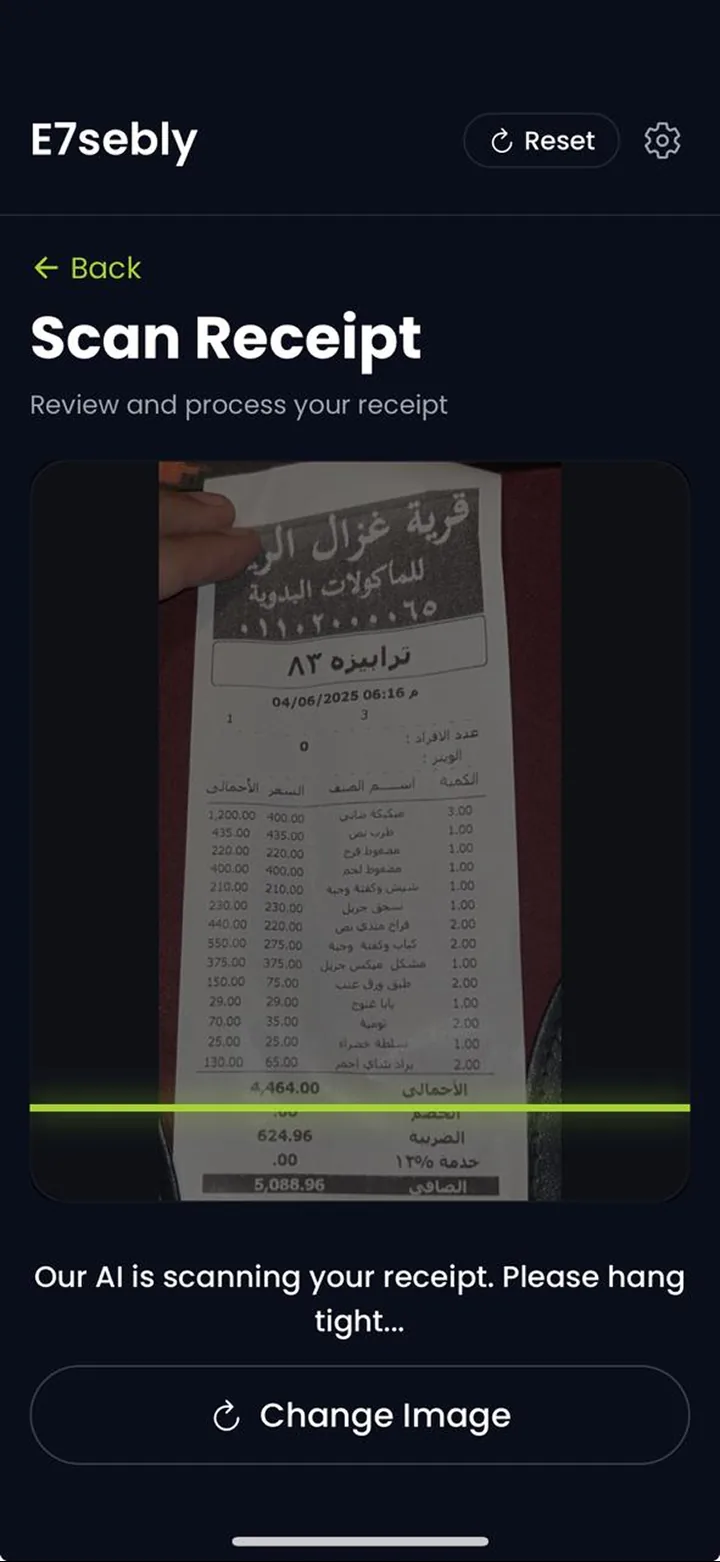
Open E7sebly and take a photo of the receipt, or choose a photo you took earlier.
The receipt is read by AI, which picks out each item, its quantity and price, and the service and tax lines. You see the items as an editable list, not a picture.
Scans are not always perfect, especially on crumpled or faded receipts, so every line can be corrected: rename an item, change a price or quantity, add something that was missed, or delete a line that does not belong.
Tap who had what
Add the people at the table, or pick a saved group so you are not typing the same names every week.
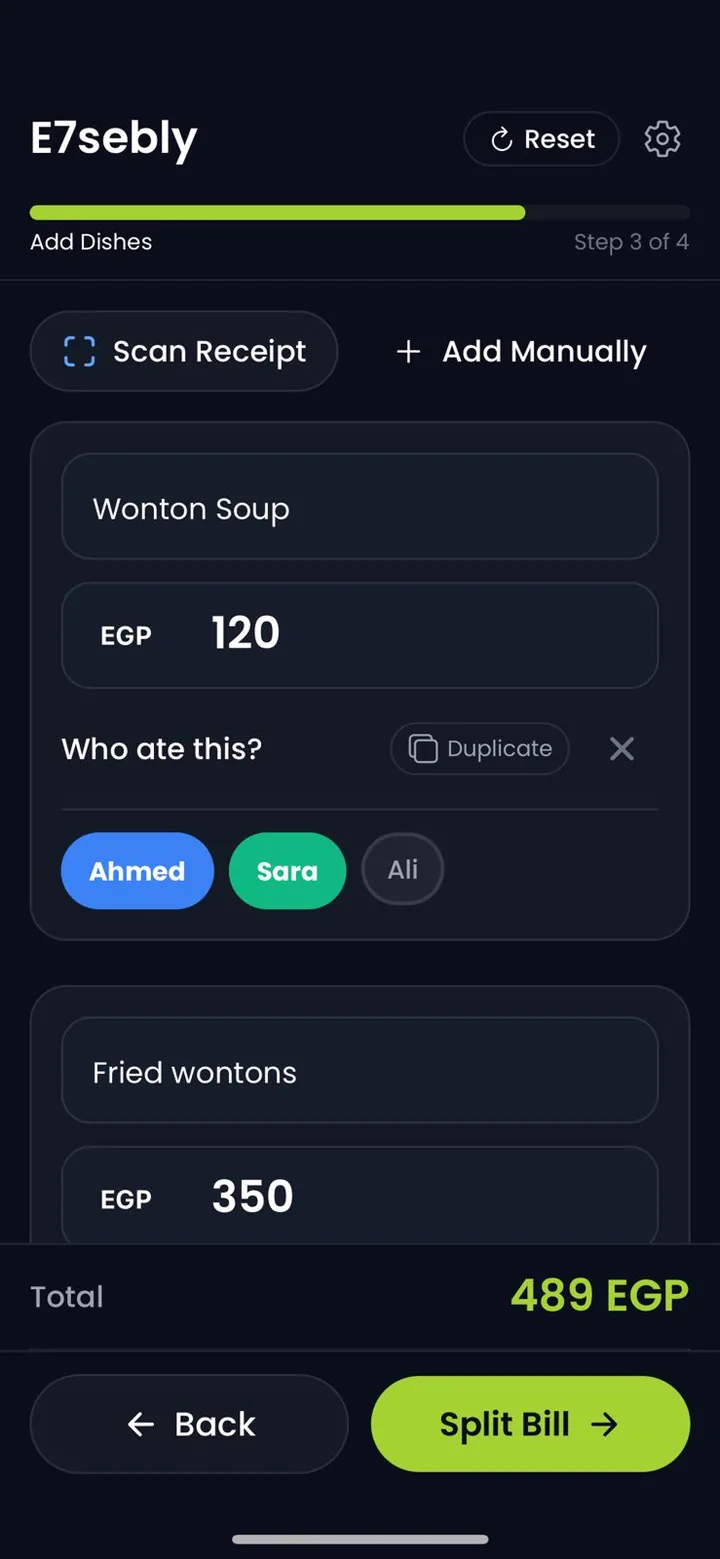
Tap an item to give it to one person. If a plate was shared, give it to everyone who had some and it is split between them.
E7sebly then spreads service and tax over each person in proportion to what they ordered. It uses 12% service and 14% tax by default, and you choose whether tax is charged on the service too, to match how the restaurant calculated it.
Share the result
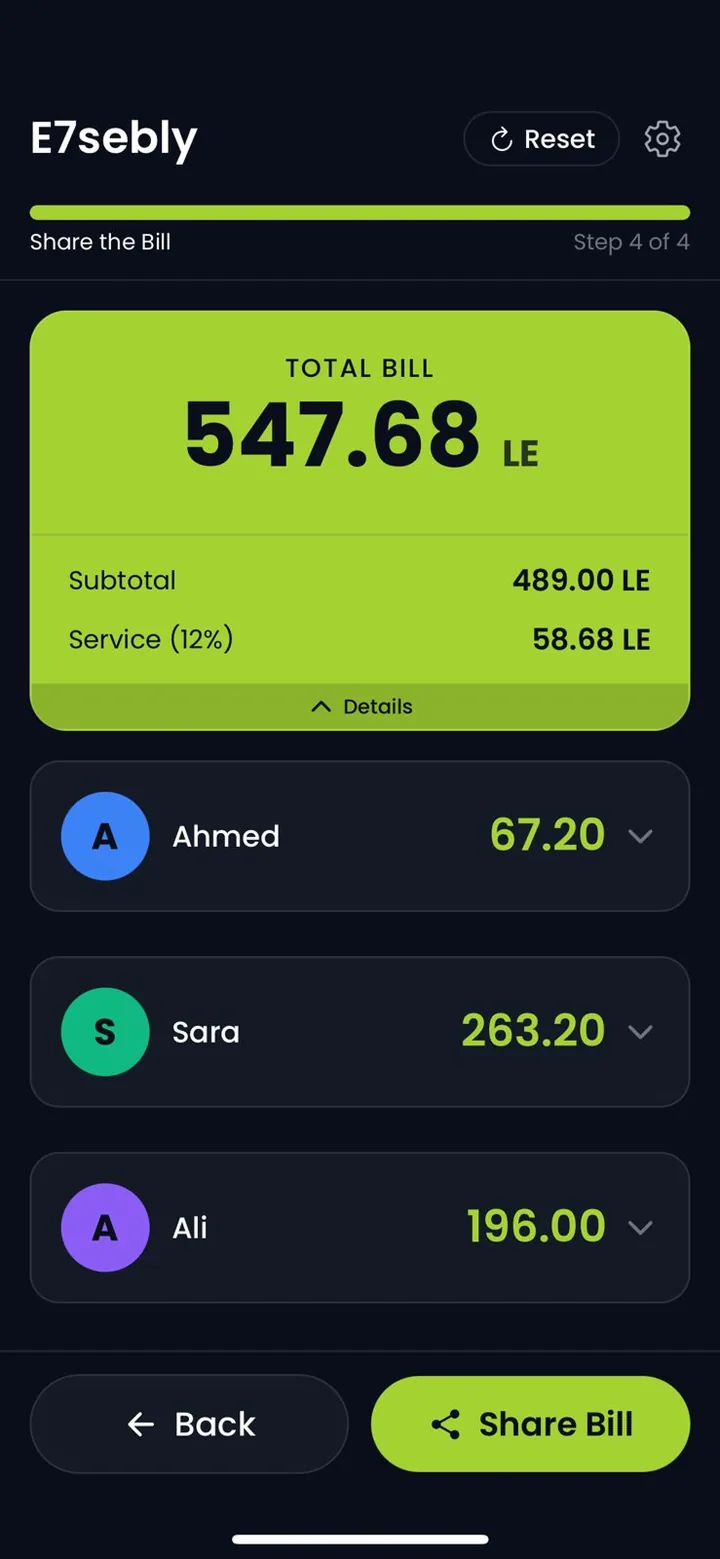
Every person gets one number: their items plus their part of the service, tax and any tip. The shares add up to the receipt total exactly, to the piastre.
Send the whole breakdown as text to your group, or send each person their own share on WhatsApp.
What you can adjust
- Service rate
- Change the 12% default for one bill, or set your own default
- Tax rate
- Change the 14% default the same way
- Tax on service
- Turn on or off whether tax is charged on the service
- Tips
- Add a tip to the bill and it is split with the rest
- Currency
- EGP by default, or any of 162 currencies
- Language
- Switch between Arabic and English at any time
Guest or signed in
As a guest
Scan, split and share without creating an account. Nothing to fill in before your first bill.
Signed in
Sign in with email, Google or Apple to keep saved groups and your bill history, and to use them on a new phone.
Try it on your next bill
Free on iPhone and Android.