Split the bill from the receipt.
Scan.Split.Share.
Everyone sees exactly what they owe, service and tax included.


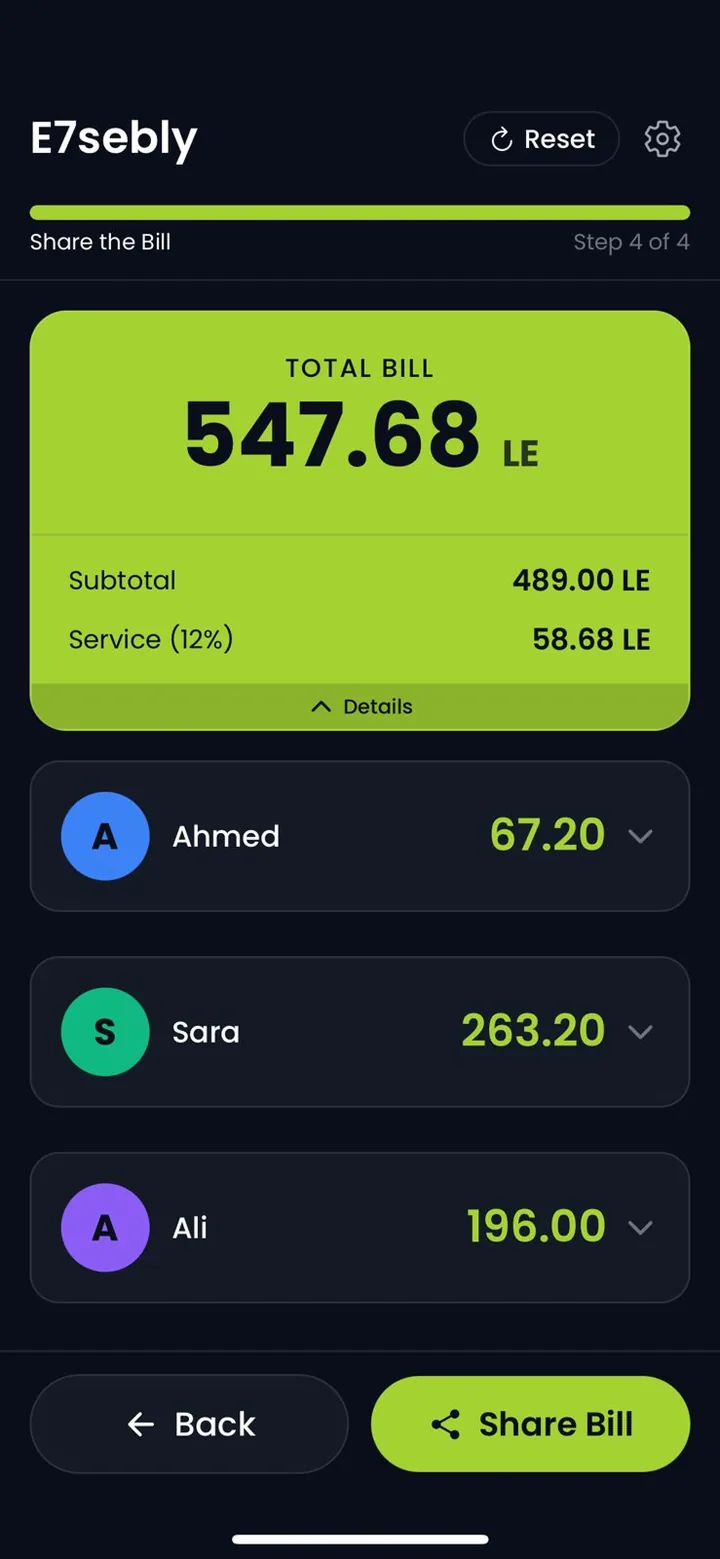
E7sebly reads the receipt and gives each person exactly what they ordered, with service and tax shared in proportion. The shares always add up to the total.
- #1In Utilities on the App Store
- 150K+Receipts scanned
- 70K+Downloads on iOS and Android
Three taps from receipt to shares
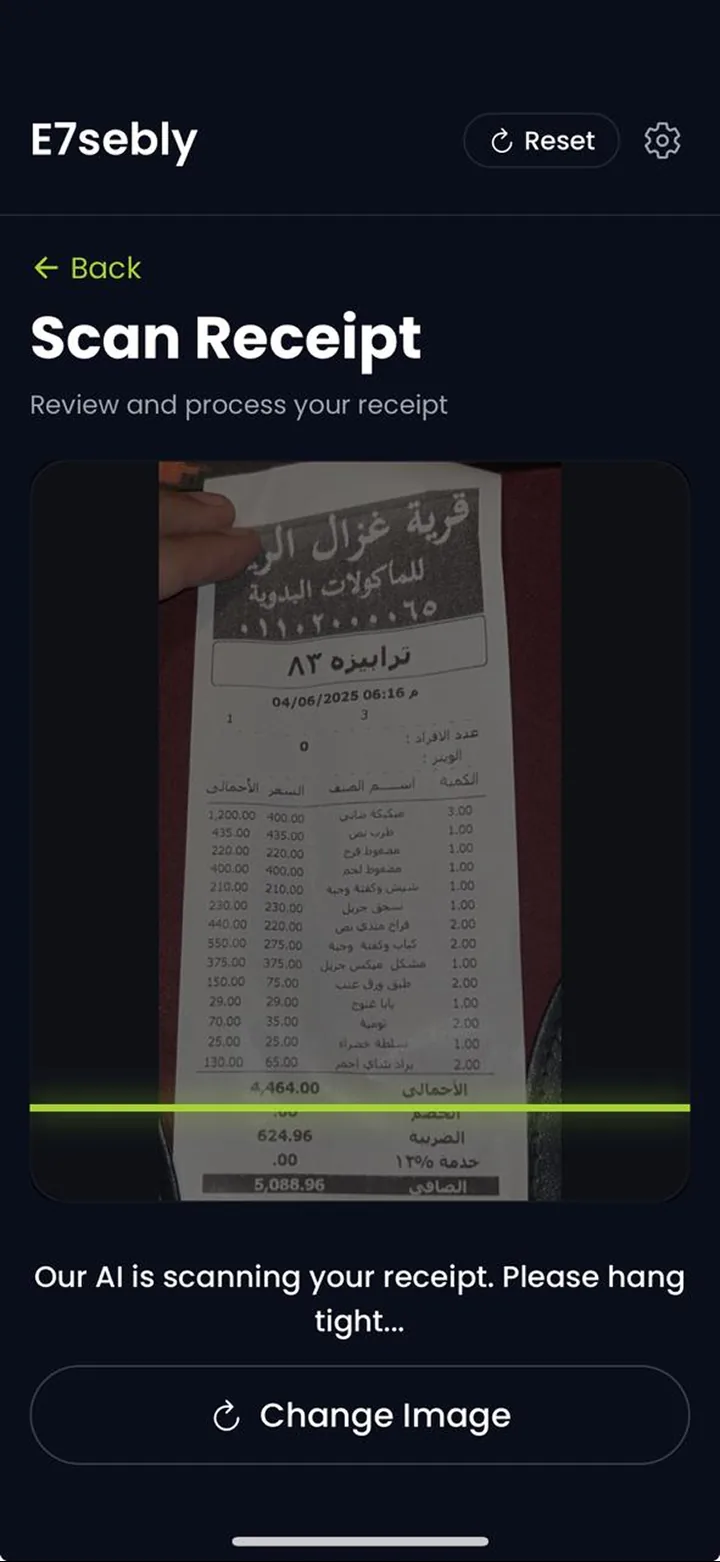
Scan
Photograph the receipt or pick a photo you already took. E7sebly reads the items, prices, service and tax.
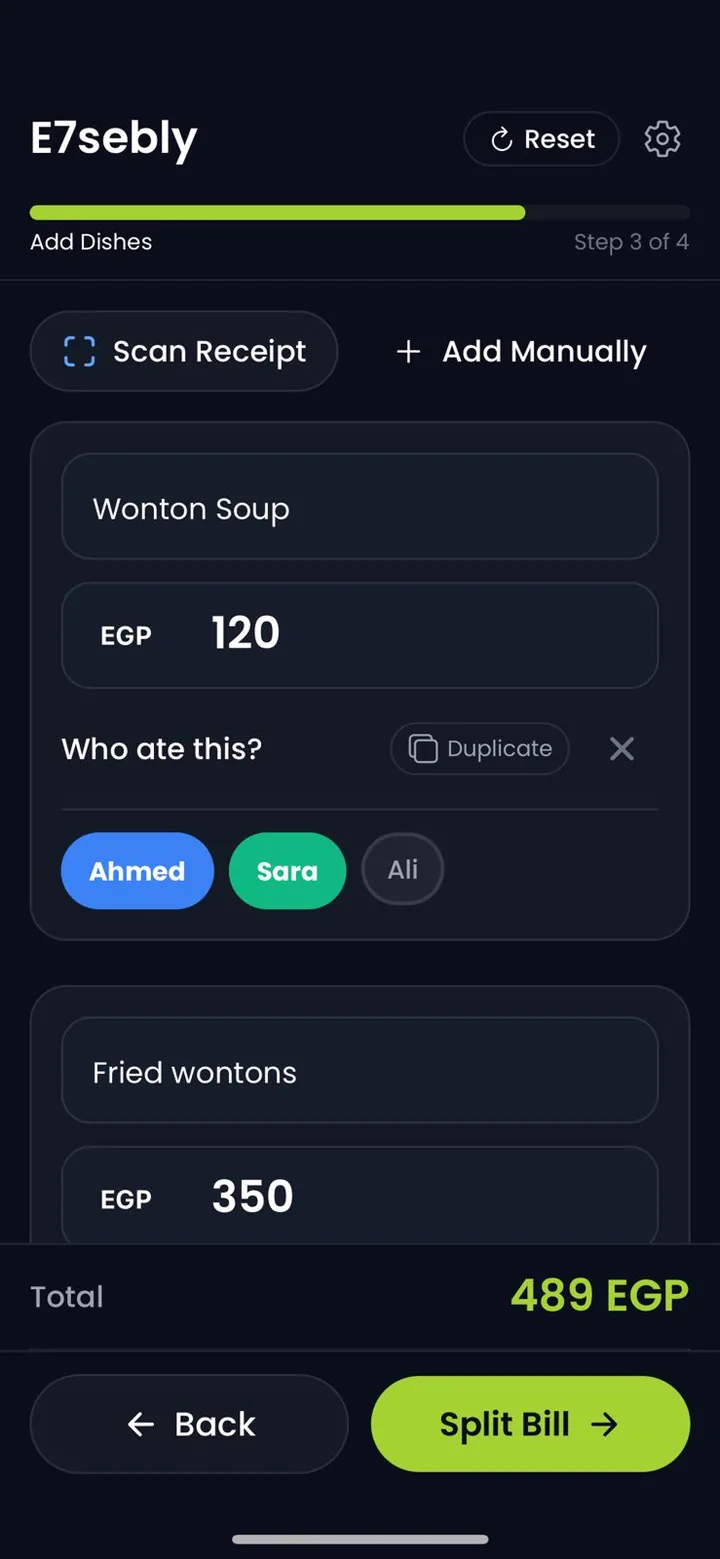
Assign
Tap each item to give it to someone. Shared plates go to everyone who had them. Fix any line the scan got wrong.
Share
Everyone sees what they owe. Send the breakdown as text, or send each person their share on WhatsApp.
Run a restaurant or café?
Guests show a one-time QR code at the table. Your waiter scans it with their own phone and enters your venue code. Offers are not live yet; we are setting them up with a first group of venues.
E7sebly for restaurantsQuestions people ask
Something else? Ask us
Is E7sebly free?
Yes. E7sebly is free to download and use on iPhone and Android.
Do I need an account?
No. You can scan, split and share a bill as a guest. Signing in with email, Google or Apple adds saved groups and bill history.
How does E7sebly split service and tax?
It adds service and tax to each person in proportion to what they ordered, so someone who ordered more pays more of the service and tax. By default it uses 12% service and 14% tax, and you can change both rates or choose whether tax is charged on the service.
What if the scan reads a line wrong?
You can edit any item's name, price or quantity after scanning, add items that are missing and delete ones that do not belong, before you split.
Which languages and currencies does it support?
The app is fully available in Arabic and English. It uses Egyptian pounds (EGP) by default and supports 162 currencies.
What happens to my receipt photo?
The photo is sent to E7sebly's servers so the AI can read it, and it is kept to improve scanning accuracy. The privacy policy explains what is stored and for how long.